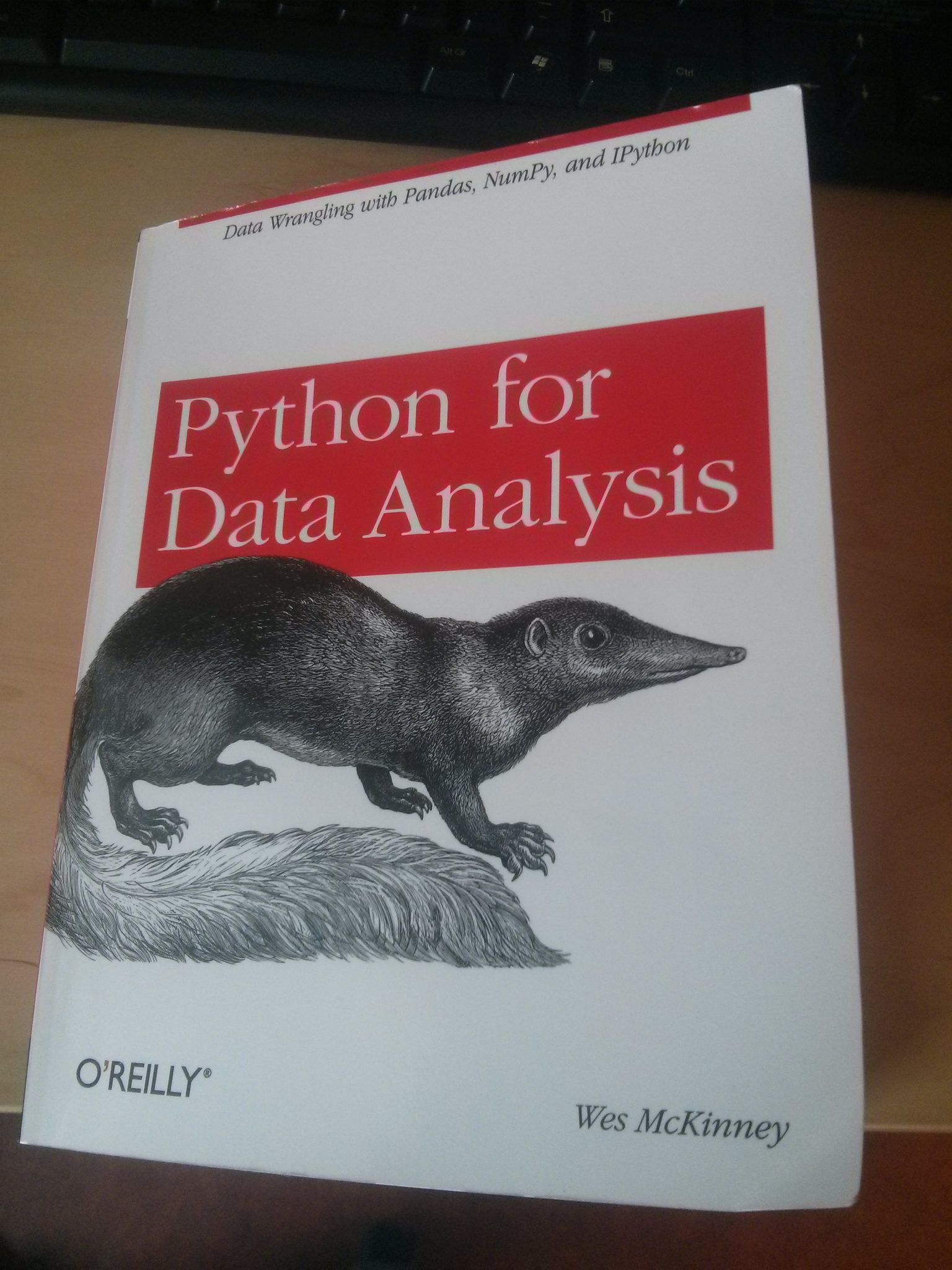
In this post you will find some really good Python Blogs and Resources. Most of these really helped me when moving from proprietary software to free and Open Source software (e.g., PsychoPy written in Python). The links are divided into two categories: general and research. In the ‘general’ category you will find good Python resources that might be more general and introducing. That is, more helpful for general problems and you might want to start here. In the ‘research’ category there are links to good Python resources that are more specific to use in research (e.g., PsychoPy and data analysis). The links in the ‘research’ category mainly contains links to Python blogs.
programming
Reverse Scoring using R Statistical Environment
In this tutorial, you will learn how to do reverse scoring in R. Specifically, we will use 1) base R to reverse selected variables (e.g., questionnaire items), and 2) we will use the Psych package.
Reverse scoring
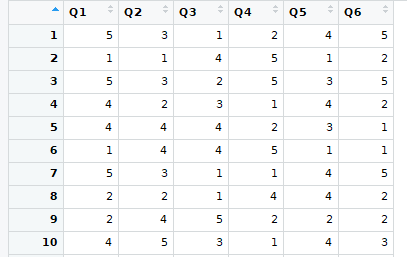
Many instruments (e.g., questionnaires) contain items phrased so that a strong agreement indicates something negative (e.g., “When there is music in the room, I find it hard to concentrate on reading”). These items need to be reversed so that the data will be correct later for statistical analysis.
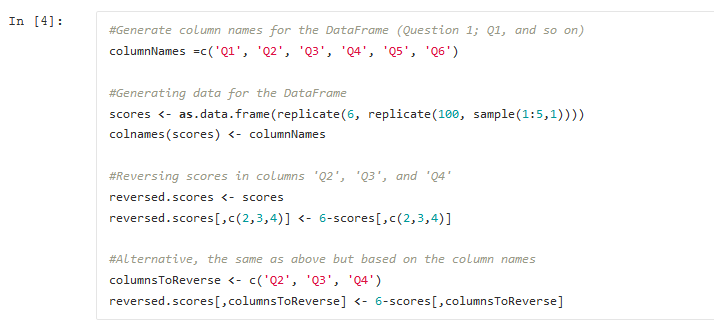
For more information on reverse scoring, please see my earlier post: Reverse scoring in Python. Since I was more familiar with Python than R and had no clue how to do this in SPSS, I wrote a Python script. The Python script used a function that used Pandas DataFrame, and it reversed the scores nicely and quickly.
What programming language should I learn?
I am getting better at writing Python code, and I am starting to feel an itch to extend my toolbox and learn more about programming. Therefore, one step in that direction is to learn a new programming language next year (i.e., 2016). I want to learn a relatively new language, and it should not be … Read more
Free & Useful Software – PsychoPy
PsychoPy
This post will describe why I prefer using PsychoPy before other software. When I started getting involved in research (i.e., when doing my Bachelor’s and Masters’s theses), I used the software that was accessible to me. That is, some of the most commonly used software in the department I was studying at. After starting my Ph.D. studies, I got increasingly annoyed with one of the software we used to build experimental tasks in (i.e., E-prime).
First, I was unfamiliar with the scripting language (called ‘e-basic’) that was needed, for instance, to solve pseudo-randomization and send signals to a specially built device I was going to use in my experiments. Second, I prefer to use Linux systems, and e-prime is limited to Windows. In fact, e-prime seemed to work best with Windows Vista or earlier, but our lab computers were, and are, running Windows 7 (which might have changed back then). Some time into my Ph.D. studies, I found PsychoPy, which is written in Python, a programming language that I did know. It seemed like a good alternative to e-prime, and other similar software, to create experiments in.
Collecting data with Scrapy
This rather long (counting the Python code) tutorial assumes that you are interested in scraping data off the web using Scrapy. It might also be limited to Linux.
Installing scrapy
Here is how to install a Python package using pip:
pip install scrapyCode language: Bash (bash)Note, if you need to you can also use pip to install a specific version of Scrapy as well as upgrade pip, if you have an old version. Now, to create a new Scrapy project, open up a terminal and create a directory where you will store your Scrapy projects change do that directory and run this (change ‘psysci’ to whatever your project will be named):
scrapy startproject psysciCode language: Bash (bash)Item
We start with the Item class and create an object to store our scraped data in. In my example I scrape the article title, type of article, the article’s abstract, when the article was received and when it got accepted for publication, which year it was publicized (and month) and the articles keywords.
Reverse Scoring in Python with Pandas
In this post, we will learn how to reverse scores in Python. Reversing questionnaire scores is easy; this post is concise.
Why you Need to Reverse Code
We sometimes want to reverse the scoring when working with questionnaires that use a Likert scale (e.g., strongly disagree, disagree, neutral, agree, strongly agree). For instance, in a questionnaire, subjective experiences of cognition, some of the questions can be positively worded (e.g., “I find it easy to read while talking on the telephone at the same time”). However, we often have negatively worded questions (e.g., “When there is music in the room, I find it hard to concentrate on reading”).
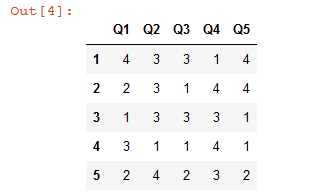
What is Reverse Scoring?
In the case of positively worded questions, we can score them like this; strongly disagree with a score of 1, disagree = 2, neutral = 3, agree = 4, and strongly disagree = 5. However, the same scoring can’t be applied to the negatively worded questions. We now need to reverse the score of these questions. In the Python example below, score 5 becomes 1, 4 becomes 2, 2 becomes 4, and 1 becomes 5. Three, on the other hand, (neutral) stays the same.
What does it Mean to Reverse Score?
To reverse a questionnaire’s scores means taking negatively worded questions and changing their coding, e.g., as one is recoded to 5.
Prerequisites
We can use the excellent Python package Pandas to reverse scores with Python. Here we will use Pandas DataFrame to read the data and reverse code the negatively worded items. To learn more about Pandas, check out my dataframe tutorial. If you need to install Pandas, you can use Pip: pip install pandas. Using pip is an excellent method to install Python packages, but sometimes, you must upgrade pip to the latest version. Finally, before going on to the reverse scoring example, it is worth mentioning that you can use pip to install a specific version of a Python package as well.
Python script for trial randomization
In this post you will find a Python script for randomizing conditions with constraints (i.e., never 2 consecutive trials of X). This script will in a later post be implemented in a cross-modal oddball task created in Psychopy.
I recently started to use Psychopy to build experiments. To build my experiments (mainly oddball tasks) I have, up until I found psychopy, used e-prime. In an oddball task one does not usually present several oddball (typically called “novel” or “deviant”) stimuli in succession. Without getting into detail; I was not able to solve this problem with e-primes scripting language “e-basic” so I made a python script instead. With this script I pre-generated .txt-files that I loaded into e-prime and got my constraints fulfilled.