When working with data in Python, using Pandas to read JSON from URL is an excellent tool that lets you directly load JSON data from a web source into a Pandas dataframe. This tutorial focuses on the steps to accomplish this task, building upon our previous discussions on reading JSON with Python more generally.
JSON
How to Convert JSON to Excel in Python with Pandas
In this Pandas tutorial, we will learn how to export JSON to Excel in Python. This guide will cover four simple steps to use Python’s json module, the Python package requests, and Pandas.
Outline
The structure of this tutorial is as follows. The first section will look at a basic example of converting JSON to an Excel file with Pandas and Python. After we have seen and briefly learned the syntax, we will continue with a section covering some examples of when this knowledge may be useful. In the third section, we will look at the prerequisites of this Python tutorial and how to install Pandas. After we are sure we have everything needed, we will go through four steps on how to save JSON to Excel in Python. Here, we will start by reading the JSON file from the hard drive and saving it as an Excel file. Furthermore, we will also look at an example when reading JSON from a URL and saving it as a .xlsx file. Finally, we will also use the Python package JSON to Excel converter.
How to Import Historical Stock Prices Into A Python Script Using the IEX Cloud API
Python is one of the world’s most popular programming languages.
Specifically, Python for finance is arguably the world’s most popular language-application pair. This is because of the robust ecosystem of packages and libraries that makes it easy for developers to build robust financial applications.
In this tutorial, you will learn how to import historical stock prices from the IEX Cloud API and store them within your script in a pandas DataFrame.

How to Read and Write JSON Files using Python and Pandas
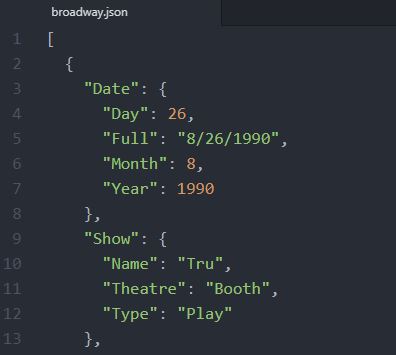
In this Python tutorial, we will learn how to read and write JSON files using Python. In the first part, we are going to use the Python package json to create and read a JSON file as well as write a JSON file. After that, we are going to use Pandas read_json method to load JSON files into a Pandas dataframe. Here, we will learn how to read from a JSON file locally, from a URL, and how to read a nested JSON file.
Finally, as a bonus, we will also learn how to manipulate data in Pandas dataframes, rename columns, and plot the data using Seaborn.