How to Rename Columns in data.table in R (With Examples)

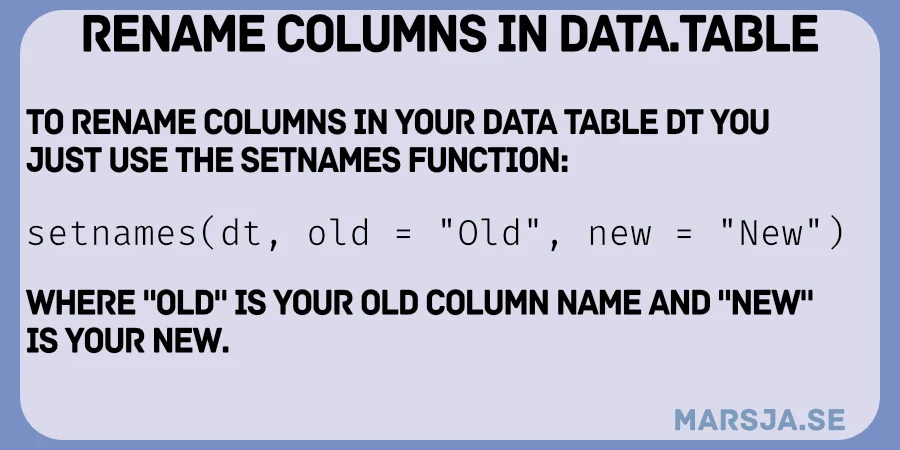
In this post, we will learn how to rename columns in data.table in R. Renaming columns is a common task when cleaning and organizing data. Whether you want to rename a single column or multiple columns, data.table, it provides fast and efficient ways to get it done.

We will look at different approaches, including renaming by position, renaming using column names, and renaming multiple columns at once.

rename columns in data.table

Read more

Replace NA in data.table: Replacing with 0 and Other Values

In this blog post, we will learn how to replace NA (missing) values in a data.table in R and we have previously looked on how to replace NA with the previous value in a data.table. Handling missing data is a common task in data analysis, and data.table offers a powerful way to manipulate large datasets, including replacing missing values with specific values. We will walk through two examples: first, replacing NAs with 0, and then with another common value.

Read more

How to Use data.table to Fill NA with the Previous Value in R

In this blog post, we will discuss how to use the data.table package in R to fill NA with the previous value. This is a common task when cleaning datasets with missing values, especially in cases where the missing values can be logically filled with the most recent valid entry. Previously, we have learned how to find the first non-NA value in a data.table, but know we will learn how to take the previous value and fill this missing value.

The data.table package is designed to handle large datasets and offers concise syntax for data manipulation tasks. One of these tasks is replacing missing values (NAs) with the last observed non-missing value, a technique known as last observation carried forward (LOCF). This approach is often used in time-series data or with grouped observations.

Read more

How to Find First Non-NA Value in data.table

When working with datasets that include missing values (NA), we sometimes need to find the first non-NA value in a column. This could be helpful when you have incomplete data, such as survey responses, sensor readings, or experimental results where participants miss specific trials. In this post, we will learn how to find the first non-NA value in data.table.

Read more

Two-Sample Z Test in R: Short Guide to Proportions and Means

This blog post will help you learn how to perform a statistical procedure: the two-sample Z test in R. This test is a common hypothesis test used to determine if there is a significant difference between population parameters, typically means or proportions. In a previous post, we covered the basics of the Z test in R. Today, we will focus on how to perform the test.

Read more

data.table Count Rows by Group

When working with large datasets in R, grouping data and counting the number of rows in each group is common. In this post, we will learn how to use data.table count rows by group. In a previous post, we discussed how to get the number of rows in R using data.table. This short tutorial will extend that knowledge by counting rows within groups. First, we will explore how to count rows within a single group using .N. Second, we will extend this by counting rows across multiple grouping variables to see how data.table handles more complex cases.

Read more

How to Sum Multiple Columns in data.table

In this blog post, you will learn how to use data.table to sum multiple columns in R. The data.table package is efficient for working with large datasets, and summing multiple columns is a common data manipulation task. We have previously looked at how to sum columns using dplyr and base R functions. Now, we will focus on how to achieve the same result using data.table, including summing by groups and using the %in% operator.

Read more

How to Select Columns from data.table in R

In this blog post, we will learn how to select columns from a data.table in R. The data.table package is widely used for its speed and capability in handling large datasets. We will look at different ways to select columns, including selection by variable name, multiple column selection, and selection by index. Each section includes practical examples with explanations. Previously, we looked at selecting columns with dplyr using select(). While dplyr is intuitive, data.table provides a faster alternative for large datasets.

r data.table select columns by variable

Read more